esha totoAndroid & iOS App
Our esha toto platform operates across Android, iOS, and web browsers, each with distinct installation and access paths. Mobile apps offer offline caching and push notifications; browsers provide instant access without installation. Understanding which path suits your device and network conditions helps you get started quickly. We support Android 7 and above, iOS 12 and above, and all modern browsers on desktop and tablet.

- LoginOTP Verification
- Installin
- Update
Installing esha toto on your phone begins with choosing your device type. Android users download our APK directly from our platform; iOS users access esha toto through a mobile-optimized browser or web app. Both paths lead to the same account system — your login credentials work across all devices. After installation or browser access, you complete account registration, KYC verification, and deposit setup before placing any activity on our platform.
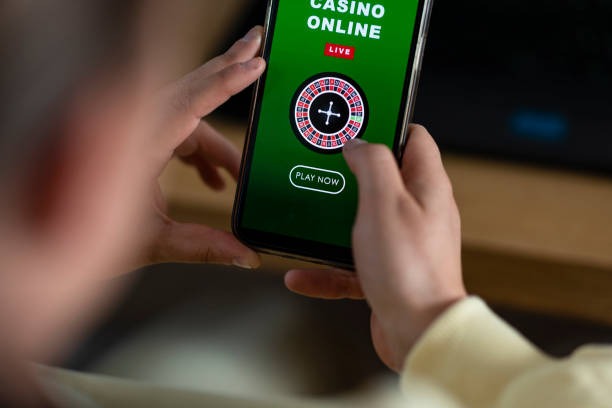
Mobile-first design matters because most of our users access esha toto during commutes, breaks, or from home on their phones. Our app and mobile web interface prioritize speed, data efficiency, and one-handed navigation. Push notifications alert you to deposit confirmations, withdrawal status, and account security events. The mobile experience also works on weak 3G or 4G connections, loading core functions (login, balance, withdrawal requests) with minimal data usage.
Getting esha toto on Your Device
We offer three installation paths: Android APK download, iOS browser access, and web app. Each method connects to the same esha toto account and payment system. Choose based on your device type and preference for app vs. browser experience.
Installation Steps
- Download the esha toto APK (Android) or open our mobile site in Safari or Chrome (iOS).
- Install the app or add the web app to your home screen; allow permissions for notifications and storage.
- Open esha toto, tap Register, and enter your email, password, and phone number.
- Submit KYC documents (ID, address proof, selfie), deposit funds via DANA or e-wallet, and start using your account.

App vs. Browser: Strengths of Each
Our esha toto Android app stores game data locally, reducing download time on repeat visits and working better on intermittent connections. Push notifications arrive instantly for deposits, withdrawals, and security alerts. The app also supports offline login verification and cached game lists. Browsers offer immediate access without installation and work identically across Android and iOS. Choose the app if you use esha toto daily; choose the browser if you prefer minimal storage or frequent device switching.
Device Compatibility
esha toto runs on Android 7.0 and above, iOS 12 and above, and all modern browsers (Chrome, Safari, Firefox, Edge). Older devices may experience slower load times or missing features. If your device is below these versions, update your operating system or use a different device. We recommend at least 100 MB free storage for the Android app and a stable internet connection (3G or better).
Common Installation Issues
Android users may see a warning about "Unknown sources" when installing our APK. This is normal — enable "Install from Unknown Sources" in your device settings, then retry. iOS users should ensure their browser allows pop-ups and cookies for esha toto. If the app crashes on launch, clear your app cache (Settings → Apps → esha toto → Storage → Clear Cache) and reinstall. If you cannot download the APK, check your internet connection and ensure your device has at least 100 MB free space. Contact our support team if issues persist.
Account security across devices
Your esha toto login works on all devices. If you log in from a new phone, we may ask for additional verification. Enable two-factor authentication in your account settings for extra protection.
Data, Permissions, and Account Security
The esha toto app requests permission to send notifications, access your device storage, and use your internet connection. We do not access your contacts, camera, or location without explicit consent. Your account data — email, phone, KYC documents, deposit history — is encrypted in transit and at rest. We use industry-standard SSL certificates and secure servers. Your password is never stored in plain text. If you suspect unauthorized access, change your password immediately and contact our support team. We undertake to review account activity within one business day of a security report.

Payment Integration on Mobile
Depositing on esha toto via mobile is straightforward. Tap Deposit, select your payment method (online payment, e-wallet, mobile banking, local payment, online payment, or e-wallet), enter your amount, and confirm. Your bank or e-wallet app opens; complete the payment there and return to esha toto. The deposit appears in your account within seconds to minutes. Withdrawals work similarly — tap Withdraw, choose your destination (mobile banking, local payment, online payment, e-wallet, or your original payment method), and submit. Our system reviews your withdrawal within a standard processing window before transferring funds. If you withdraw during Idul Fitri or Idul Adha, processing may take longer due to bank holidays.
Push Notifications and Settings
esha toto sends notifications for deposit confirmations, withdrawal approvals, login alerts, and promotional updates. You control notification frequency in your account settings under Preferences. Disable notifications if you prefer not to receive them; you can re-enable them anytime. Notifications require the app (Android) or browser permission (iOS). If you stop receiving notifications, check that esha toto has permission to send them in your device settings.

Network and Data Considerations
esha toto works on 3G, 4G, and WiFi connections. On weak networks, core functions (login, balance check, withdrawal requests) load first; game catalogs and live feeds load afterward. If you experience repeated timeouts, move closer to your router or switch to a stronger signal. The app uses approximately 5–15 MB per hour of active use, depending on game type. Live-dealer tables consume more data than slots or sports betting. Monitor your data usage in your device settings if you have a limited plan.
Troubleshooting and Support
If esha toto crashes, freezes, or fails to load, try these steps: (1) Force-close the app and reopen it. (2) Clear your app cache (Settings → Apps → esha toto → Storage → Clear Cache). (3) Restart your phone. (4) Reinstall the app from the official source. (5) Check your internet connection. If the issue persists, contact our support team with your device model, operating system version, and a description of the problem. We review support requests during business hours and respond with troubleshooting steps or escalation to our technical team.
Accessing esha toto from Jakarta, Surabaya, Bandung, and Medan
Our platform is available to users in supported jurisdictions across Indonesia, including Jakarta, Surabaya, Bandung, and Medan. Local payment methods (mobile banking, local payment, online payment, e-wallet, mobile banking) are integrated for convenience. Users are responsible for verifying that access and use of esha toto comply with the laws of their own jurisdiction. Our services are available only where local law permits.
Next Steps
Once you have installed esha toto, open the app or browser, register with your email and phone number, and submit your KYC documents. After verification, deposit funds via your preferred payment method and explore our football markets, live-dealer tables, and slot games. Our support team is available to answer questions about account setup, deposits, withdrawals, and technical issues. Visit our FAQ page or contact support before opening an account if you have questions about service availability in your region.